Event Video Post-Production: From Raw Footage to Impactful Stories

Ever spent hours capturing an incredible event, only to stare at a sea of raw files and wonder where to begin? At Bendita Filmes, we know that the magic of event videography happens both on set and on the editing screen. It's in post-production that moments become lasting memories, speeches gain clarity, and the atmosphere of a corporate event, wedding, or concert is recreated for those who couldn't be there. In today's digital landscape, with increasingly demanding streaming platforms and social media, mastering this stage is crucial for the success of your audiovisual project.

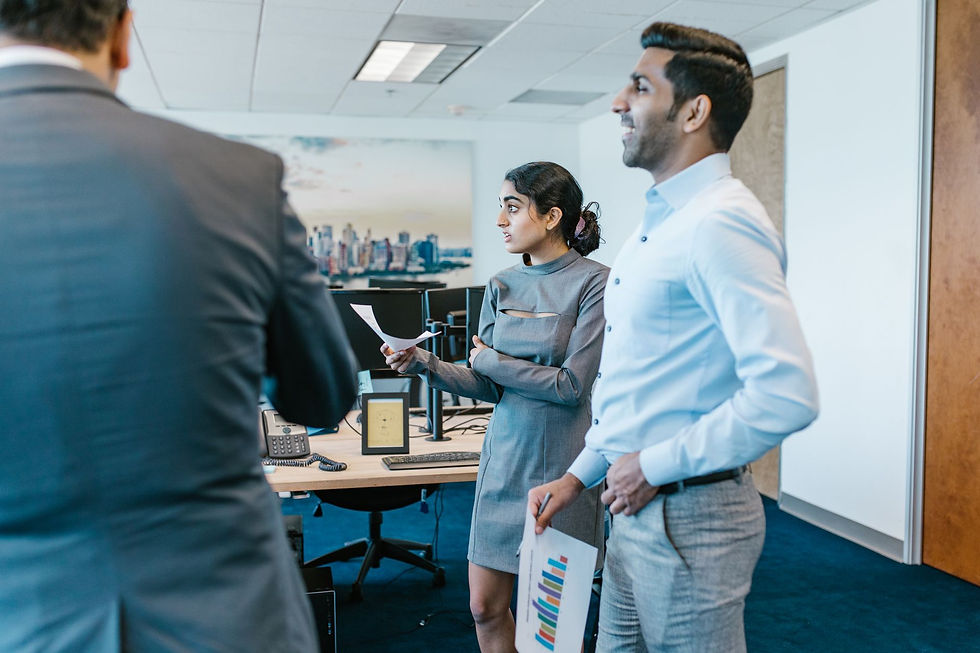
Foto de Abdulkadir Emiroğlu no Pexels
1. Raw Footage Organization: The Foundation of an Efficient Workflow
Before you even think about cuts and colors, the cornerstone of any successful post-production is impeccable organization. Disorganization here can cost time, money, and your team's sanity. For event videography, where the sheer volume of material can be overwhelming, a well-defined workflow is essential.
Backup and Folder Structure
Always start with robust backups. Two copies of your footage, preferably in different locations (external hard drives and cloud storage), are the minimum. Renaming your files is your best friend: use a logical pattern, such as `DATE_TIME_CAMERA_SEQUENCE_CLIP_TYPE` (e.g., `20231027_1430_CAM01_001_SPEECH_SPEAKER_A`). A clear folder structure by event, by day, and by content type (main videos, B-roll, audio) also makes navigation immensely easier.
Transcoding for Stability
Many event cameras record in formats that, while high-quality, can be heavy and unstable for editing. Transcoding to codecs like ProRes or DNxHD creates lighter files that are easier to work with in editing software, speeding up the process without significant loss of quality. Optimizing for editing remains a smart step, regardless of the recording format.
Selection and Rough Cuts
With everything organized and transcoded, comes the task of reviewing and selecting the best moments. Identify the full speeches, the highlights, the most interesting interactions, and audience reactions. Begin assembling preliminary sequences, or 'rough cuts,' for each part of the event or for the main video. This is where you start to uncover the narrative the event offers.
Helpful Tools
For media management, software like Adobe Bridge is excellent for previewing and organizing files. For very large volumes, Digital Asset Management (DAM) systems can be considered, though for most event productions, good manual organization and smart use of editing software will suffice.
2. Editing: Crafting the Event Narrative
Editing is where the story comes to life. It's the art of selecting, sequencing, and refining the best moments to create a video that is engaging, informative, and meets the event's objectives.
Telling the Event's Story
Every event, regardless of its purpose, has a narrative. For a corporate event, it might be the journey of learning, the demonstration of a new product, or the reinforcement of company culture. For a wedding, it's the celebration of love and union. For a concert, it's the energy and passion of the audience and artists. The editor must capture this essence. Conciseness is key, especially for online content.
Effective Pacing and Cadence
The editing rhythm should mirror the event's atmosphere. A panel discussion might require more deliberate cuts, focusing on the depth of the dialogue, while a networking session or party can benefit from more dynamic cuts, accompanied by a vibrant soundtrack. Music and sound are powerful tools for dictating this pace.
Maximizing Multi-Camera Use
When using multiple cameras, multi-camera editing is essential. It allows for fluid transitions between different angles, maintaining visual dynamism and capturing the complete event experience. This is especially valuable for concerts, lectures with audiences, or highly mobile events.
Enriching the Content
To add value and clarity, incorporate additional elements. Brand logos, animated graphics to present data, lower thirds for names and titles, or even text animations to highlight key points. B-roll (supporting footage) is vital to break the monotony of a speech and illustrate what's being said, showing the environment, reactions, and event details.
Platform Adaptation
Remember where the video will be delivered. A video for social media on platforms like Instagram or TikTok will likely need faster cuts, prominent captions, and a vertical or square format. A video for a company website might have a longer, more detailed edit.
Current Trends
The demand for short, impactful videos for social media remains high. Quick cuts, attention-grabbing soundtracks, and clever use of captions are essential. Furthermore, 'immersive storytelling,' using drones, 360º cameras, and spatial audio, is gaining traction to create a deeper viewer experience. Tailoring cuts for different audiences or departments in corporate events is also a growing trend.
Essential Tools
Industry-standard editing software includes Adobe Premiere Pro, Final Cut Pro, and, with its powerful editing and color tools, DaVinci Resolve.
3. Color Grading: The Emotion Behind the Hues
Color grading goes beyond mere color correction; it's a powerful artistic tool for setting the tone, atmosphere, and message of your video. Good color correction can completely transform a viewer's perception.
Visual Consistency in Variable Environments
At events, lighting conditions change constantly. Color grading ensures that all shots, from different cameras and times of day, maintain visual consistency. This means skin tones should look natural in every scene, and colors should be uniform.
Creating the Right Aesthetic
For corporate events, a more neutral and professional aesthetic, perhaps with a slight warmth to convey energy, aligned with the brand's visual identity, is ideal. For weddings and social events, warmer, more vibrant, and saturated colors evoke joy and celebration. Concerts and nighttime events benefit from adjustments that enhance colorful lighting and the energetic atmosphere.
Highlighting Details
Contrast and saturation adjustments can emphasize key elements. In a speech, highlight the speaker's facial expressions; in a product demonstration, emphasize the details and design. The goal is to direct the viewer's gaze to what's most important.
Tools for Color Grading
DaVinci Resolve is the absolute champion for color grading tools, but Adobe Premiere Pro also offers robust features for this task, allowing you to achieve professional results.
4. Audio and Mixing: The Soul of the Video
A video with incredible visuals but poor audio can ruin the experience. In event films, clear and well-mixed audio is as fundamental as the image for conveying the message and emotion.
Cleaning and Leveling
Removing background noise, echoes, and other unwanted sounds is the first step. Then, leveling ensures that dialogue, music, and sound effects are at balanced volumes, providing comfortable and clear listening. With mobile device consumption on the rise, good audio is even more critical.
Soundtrack and Synchronization
The choice of soundtrack is vital for setting the tone and rhythm. Ensure the music complements the video without overpowering the dialogue. Perfect synchronization between audio and video is non-negotiable.
Audio Tools
Video editing software like Adobe Premiere Pro and DaVinci Resolve have capable integrated audio tools. For more complex work, dedicated software like Adobe Audition or Pro Tools offers even greater control.
5. Rendering and Delivery: The Final Touch and Reach
The final stage is exporting your video in the correct format and delivering it to the client, ensuring the best possible quality wherever it will be shown.
Appropriate Formats and Resolutions
MP4 with H.264 or H.265 codecs are still the standards for most platforms. Offer different resolutions (1080p, 4K) depending on the end-use. For social media, optimized vertical videos are essential.
Efficient Delivery Options
For online delivery, platforms like Vimeo and YouTube are ideal. For large files or clients who prefer direct downloads, services like Google Drive, Dropbox, or WeTransfer are excellent. In some cases, a physical USB drive or hard drive remains the best option for ultra-high-quality material.
Metadata and Optimization
Don't forget to include relevant metadata: clear title, detailed description, and appropriate tags. This is crucial for your video's discoverability on online platforms and for SEO optimization.
Case Studies and Practical Examples
Imagine a technology company holding a major product launch event. The post-event video, with dynamic cuts, testimonials from enthusiastic attendees, and a clear demonstration of the new product's benefits, becomes a powerful marketing and internal communication tool. Or a wedding video that perfectly captures the joy and emotion of the day, allowing the couple to relive their special moments for years to come.
About Bendita Filmes
Bendita Filmes is a full-service video production company and agency based in São Paulo, Brazil, specializing in:
Corporate Videos · YouTube Production · Instagram & TikTok · Advertising Campaigns · Event Filming · VFX & Animation · Live Streaming · AI Video Production · Photography